
📝 AI Resume & Cover Letter Prompt Tool
Generate optimized prompts for resumes, cover letters, and professional profiles
Resume Prompt Generator – AI Resume, Cover Letter & LinkedIn Prompts
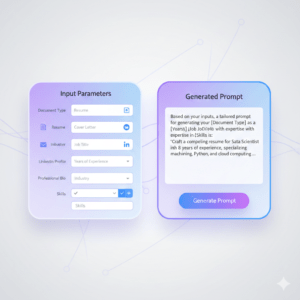
Create high-quality prompts for resumes, cover letters, LinkedIn profiles, and professional bios using our free Resume Prompt Generator. This tool helps you generate clear, structured, and role-specific prompts that you can use with AI tools like ChatGPT to produce professional content faster and with better results.
Whether you’re a job seeker, student, freelancer, or professional, this AI-powered prompt generator helps you stand out with confidence.
Tool Overview
The Resume Prompt Generator is designed to help you generate effective prompts for:
-
Resumes / CVs
-
Cover letters
-
LinkedIn “About” sections
-
Professional bios
Instead of struggling with what to write, this tool builds a ready-to-use AI prompt based on your job role, industry, experience level, and skills. You simply copy the generated prompt and paste it into your favorite AI writing tool.
No signup. No payment. 100% free.
more Prompt generator tools
🔗 AI Image Prompt Generator :Create high-quality AI image prompts.
🔗Creative Writing Prompt Generator AI :Generate creative writing prompts instantly.
🔗Email Prompt Generator: Generate clear AI email writing prompts.
Why Use Our Resume Prompt Generator?
Writing resumes and professional content can be confusing — especially when using AI. A weak prompt often leads to generic results. This tool solves that problem.
✔ Optimized for AI Results
Our prompts are structured to guide AI models toward professional, relevant, and human-sounding output.
✔ Multiple Document Types
Generate prompts for resumes, cover letters, LinkedIn summaries, or professional bios — all from one tool.
✔ Beginner-Friendly
You don’t need any writing or AI experience. Just fill in simple fields and generate your prompt.
✔ Free & No Login
Use the tool instantly without creating an account or sharing personal data.
✔ Time-Saving
Create polished prompts in seconds instead of thinking about wording and structure.
How to Use the Resume Prompt Generator
Using the tool is simple and fast:
-
Select Document Type
Choose Resume/CV, Cover Letter, LinkedIn About Section, or Professional Bio. -
Enter Job Title or Position
Example: Software Engineer, Marketing Manager, Graphic Designer. -
Choose Industry (Optional)
Helps tailor the prompt to your field. -
Select Years of Experience
Entry-level, mid-level, senior, or executive. -
Add Key Skills & Achievements
Mention tools, skills, or accomplishments you want highlighted. -
Generate & Copy the Prompt
Paste it into ChatGPT or another AI writing tool to generate your content.
Our Featured Tools
🔗 AI Visibility Checker – Analyze how AI models read your website.
🔗 Simple Daily Challenge – Build habits with one small challenge each day.
🔗 Daily Motivational Message Generator – Stay positive with fresh messages daily.
🔗 Daily Random Facts – Learn something new every day.
🔗Free AI Task Breaker – Break Any Task Into Easy Steps
Who Is This Tool For?
-
Job seekers and fresh graduates
-
Professionals updating resumes
-
Freelancers and remote workers
-
LinkedIn profile optimizers
-
Anyone using AI for career content
If you want better AI-generated resumes and cover letters, this tool is built for you.
What Makes This Tool Different?
Unlike generic AI tools, this resume prompt generator focuses on prompt quality, not final output. That means:
-
More control over AI responses
-
Less generic wording
-
Better personalization
-
Higher chances of professional-grade results
You decide how and where to use the prompt.
Final Thoughts
A strong prompt is the foundation of great AI-generated content. With this Resume Prompt Generator, you can create professional, targeted prompts that help AI write resumes, cover letters, and profiles that truly represent you.
If you want faster results, better AI output, and less guesswork — start using this free tool today.
Frequently Asked Questions (FAQ)
No. This is a resume prompt generator, not a resume maker. It creates optimized prompts that you can use with AI writing tools.
Yes. The tool supports cover letter prompts, including job-specific customization.
Yes. You can generate prompts for LinkedIn “About” sections and professional bios.
Yes. The tool is completely free and requires no registration.